To set up prices for the future dates, you should follow these steps:
- Check the current price list to decide if any changes should be done. You can make adjustments right there on a list, if it is needed, or add new strategies.
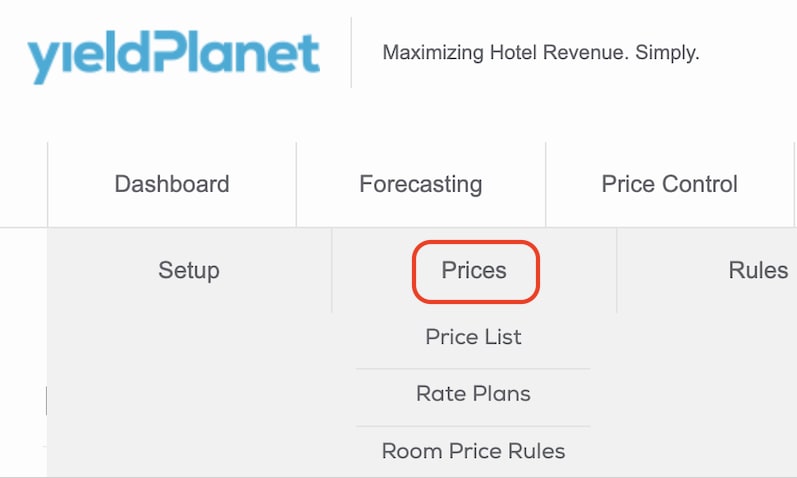
To make changes, please go to Configurations > Prices > Price List.
You can change the prices directly in the Excel sheet or Export the file.
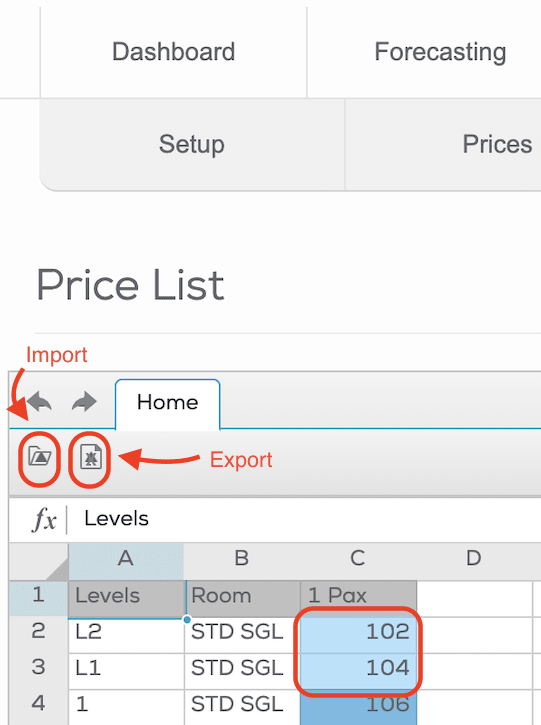
Please don’t add the formulas or change the format of the file.
If you exported the file, you can import it by clicking on the folder. You can save the changes by clicking the “Save” button.
- You can easily apply the strategies for a long period of time through the “Multi-Day” function situated on the left panel.
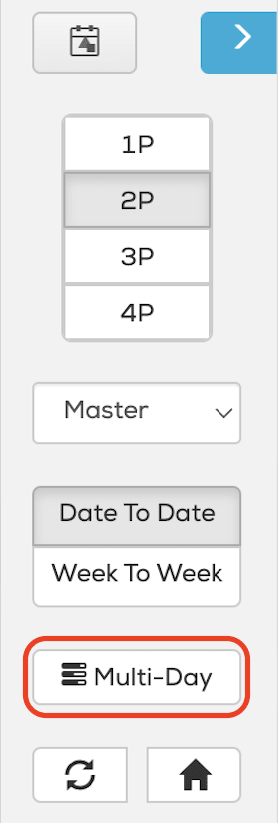
You can apply the strategy for a range of days, specifying by weekdays if needed. Few ranges of dates can be added using the “Add” button. Below you can choose the strategy to apply.
You can use the Price Level Adjustment configuration to apply the different price levels. Please check the detailed explanation of this functionality by clicking on the info button before using this option.
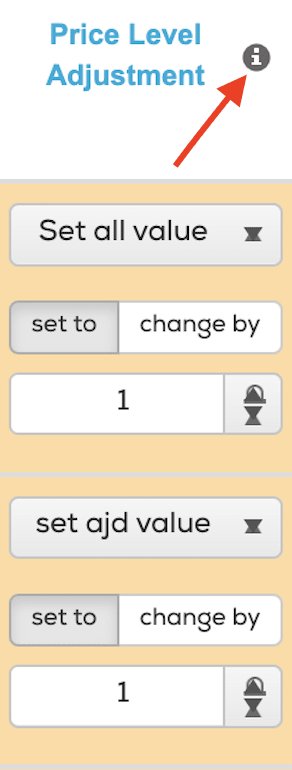
Click on “Next” when you finish introducing the settings, check everything once more and click on “Apply changes”.
- You can also apply strategies on the Price Control page, choosing the day and changing the strategy on the right panel and saving it by clicking on “Apply Changes”.

We recommend introducing the strategy using the ‘Multi-Day’ option first, and then adjust strategy for certain days (events, bank holidays).
- You can also download Excel with Strategies, modify it and upload it again.
For that you should go to the Configurations > Setup > Strategy, click on “Download”, make the adjustments directly in the Excel sheet and upload the document clicking on “Select file”.


After the file is uploaded, click on “Save changes”.