Below is a step-by-step manual showing you how to properly apply completed strategies to specific dates in the calendar.
There are three different ways to apply a strategy to a calendar:
- In bulk through Multi-Day Update
- In bulk through Excel file
- Per date through Price Control panel
Applying Strategy Through Multi-Day Update
- Click Multi-Day Update button located in the small options panel on the left side of Price Control:

- Set proper conditions:

Applies to
Strategy will apply only to dates fulfilling criteria below.- Strategy - which strategy is already applied. Strategies picked here will be changed to the new strategy we are trying to assign. If you leave “all strategies”, new strategy will be applied no matter what.
- Valid on Weekdays - new strategy will be applied only to ticked days of the week.
- Period - new strategy will be applied only to defined date range
- Strategy Change
- Apply Strategy - strategy to be applied
For example, in the screenshot above, High Season strategy will be applied to each day between Sunday and Thursday (no Friday and Saturday), from 1.06.2024 till 31.08.2024.
- Click ‘Next’ in the lower right corner below the table (check manual on Multi-Day Update to read about functionalities inside the table):

- Check if all your changes are correct by expanding Affected Dates drop list:

By expanding this drop list, you will see a list of all affected dates. - Click ‘Apply changes’ in the lower right corner of the table to finish:
Applying Strategy Through Excel File
- Click the “burger” icon in the main menu and choose Configuration:

- In gray configuration submenu pick Setup and then Strategy:

- In Strategy Dates menu, click ‘Download’ to save the file on your computer:

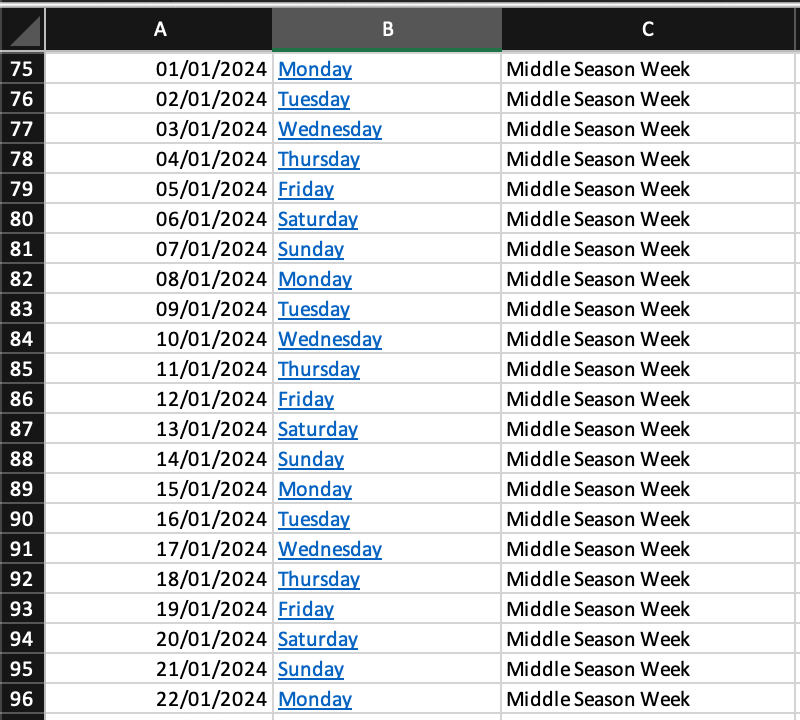
- Edit downloaded file.
Important:
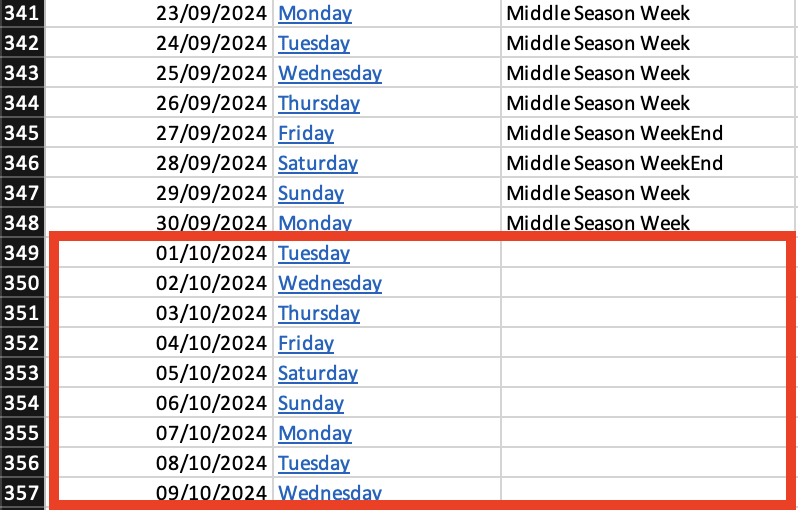
Do not change file formatting and strategy names (Lower and upper case). Also if there are leftover dates at the bottom of the file, remove them from cells.
- Upload the file back to the system:

Note:
If you get an error message while uploading the file, check file formatting.
Applying Strategy Per Day via Price Control
- In the Price Control panel, click a column with a date you’d like to apply strategy for. Picked date will be highlighted in light violet:
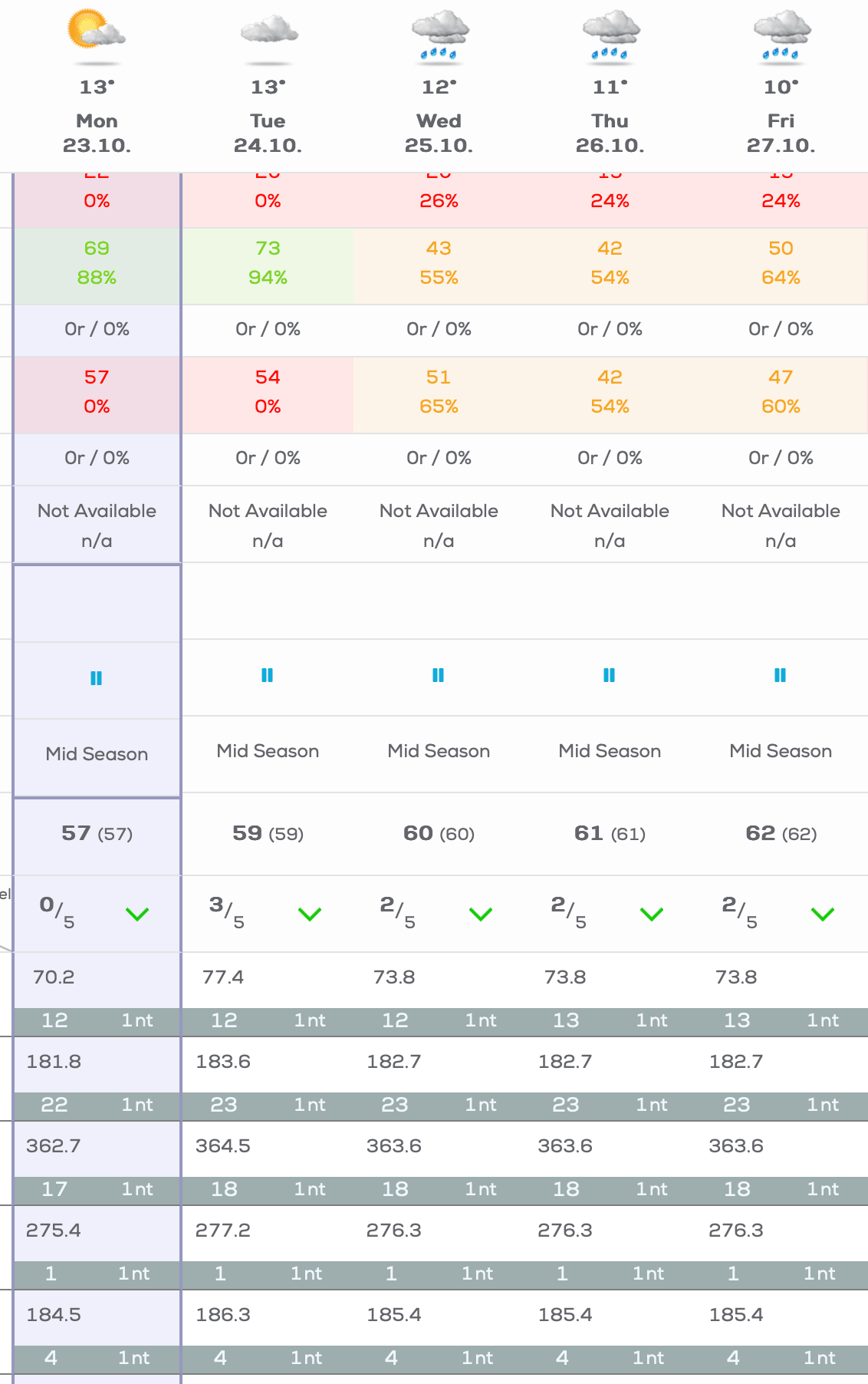 To the right from the calendar a new menu will be displayed. These are options for the chosen date.
 - Front the top dropdown menu choose a strategy you’d like to apply and click ‘Apply Changes’:
