GoGlobal is a key wholeseller that can be easily connected with YieldPlanet. The GoGlobal connection allows you to configure pricing, availability and minimum stay restrictions (depending on your contract with GoGlobal), and to retrieve reservations. The connection is fast, reliable, and easy to setup.
Connect GoGlobal to YieldPlanet
To Connect GoGlobal to YieldPlanet:
- Send us your login details for GoGlobal Partner. We will contact GoGlobal in order to connect your property to the YieldPlanet.
- Upon confirmation from GoGlobal, YieldPlanet will download the rooms and rate plans.
Retrieve partner rooms in YieldPlanet
See how to retrieve partner rooms.
Only some rooms can be mapped, depending on your contract with GoGlobal.
Retrieve partner rate plans in YieldPlanet
Rate plans have to be inserted manually into the table. Only one rate plan can be set for each GoGlobal connection. To add a new rate plan from GoGlobal, create a new partner instance in YieldPlanet.
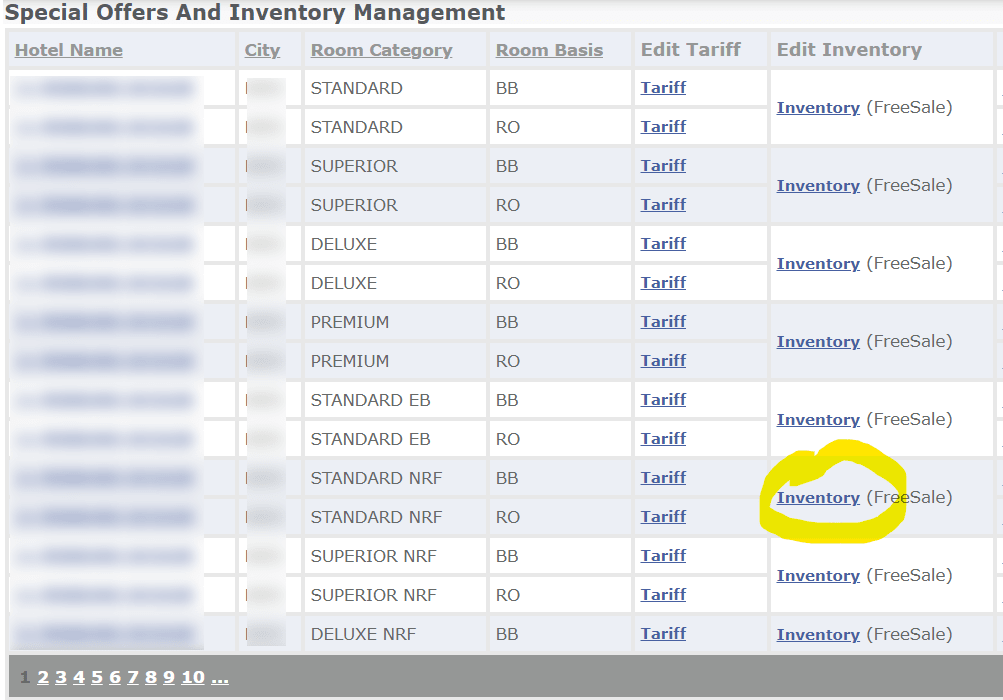
The Rate plan ID is also the hotel ID in the partner instance. The ID can be obtained from GoGlobal. After logging into your GoGlobal account, you should see something similar to the screenshot below. Click Inventory
In the next page, locate the Hotel ID in the URL.
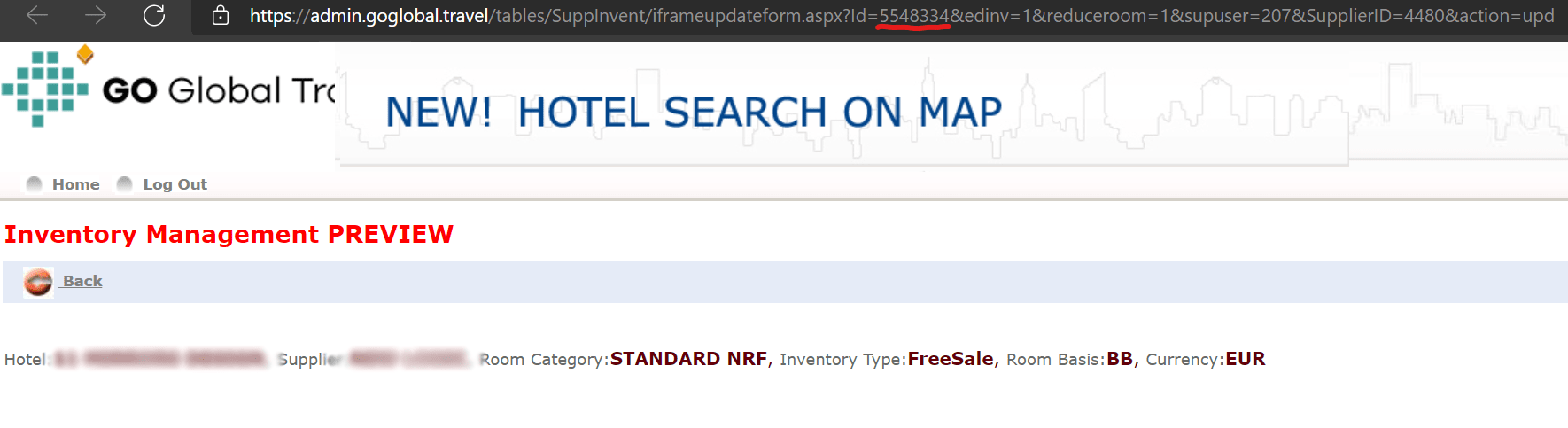
In this example, the ID is 5548334.
Map GoGlobal in YieldPlanet
See our article for mapping instructions.
Activate GoGlobal in YieldPlanet
See our article (link here) to know how to activate the connection.
