Progress Bar Overview
The Progress Bar is a monitoring tool used to track and analyze pending data distribution to connected Online Travel Agency (OTA) channels. It provides real-time visibility into the synchronization status between the system and external booking platforms.
Connection Status Indicators
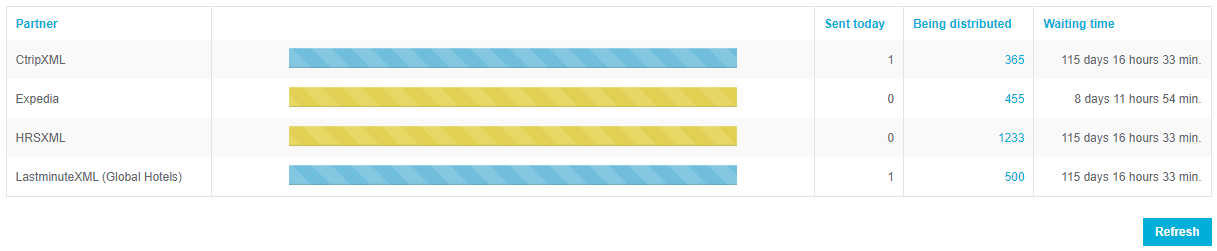
The Progress Bar uses color-coded signals to indicate the health of channel connections:
- Yellow Bars: Indicate that the connection with a specific OTA is currently deactivated or switched off.
Required Action: If a yellow bar appears, contact the Support Team to restore the connection and resume data distribution.
Accessing the Distribution Queue
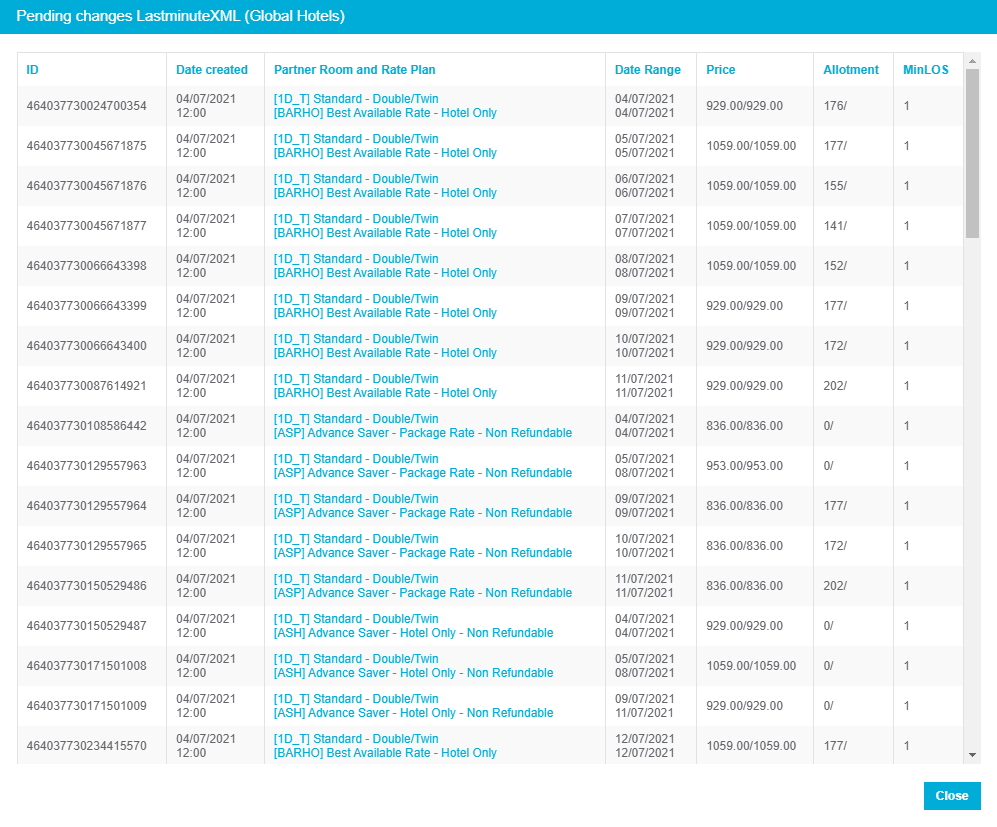
Users can audit specific updates waiting for delivery through the distribution table:
- Locate the Being Distributed column.
- Click the Numerical Value displayed in this column.
Result: The system displays a detailed list of all changes currently queued for delivery to the selected channel.
Summary of Key Terms
| Term | Definition |
|---|---|
| OTA | Online Travel Agency; a connected third-party booking channel. |
| Progress Bar | A visual indicator for monitoring pending distribution tasks. |
| Distribution Queue | The list of data changes (rates, availability, etc.) waiting to be sent to a channel. |
| Yellow Status | A visual alert signifying a disabled channel connection. |