The Prices and Availability section in the Channel Manager enables the management of rates, inventory, and restrictions. It facilitates the synchronization of data from external sources, such as Property Management Systems (PMS).
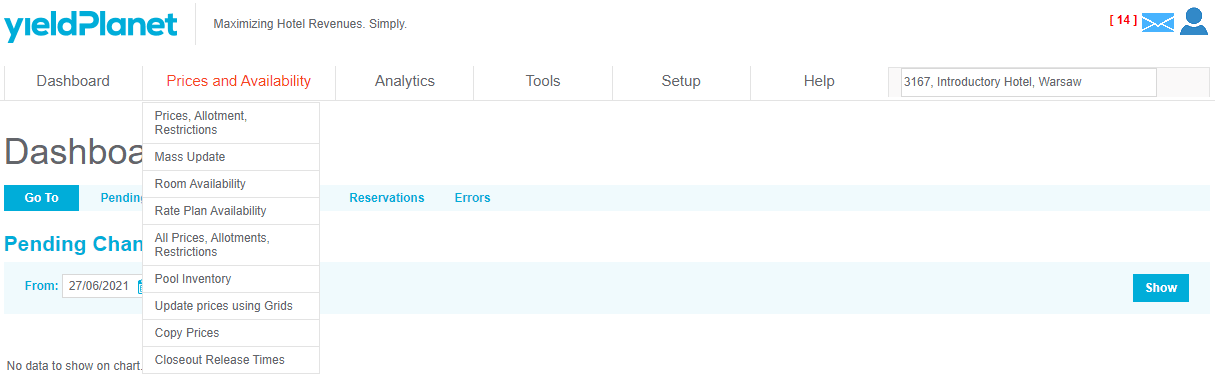
Core Elements of Prices and Availability
The section consists of the following management tools:
- Prices, Allotment, Restrictions: Primary interface for rate and inventory control.
- Mass Update: Tool for bulk changes across date ranges.
- Room and Rate Plan Availability: Individual toggles for selling status.
- Pool Inventory: Centralized management of shared room blocks.
- Update Prices using Grids: Visual spreadsheet-style interface for rapid edits.
- Copy Prices: Utility to duplicate rates between date ranges or room types.
- Closeout Release Times: Configuration for automated booking cut-offs.
Access Note: Visibility of specific tools depends on the Channel Manager product version. Contact support if specific features are missing from your dashboard.
Price Management Models
The system operates under one of three distinct pricing models. The active model determines the layout of the Prices, Allotment, Restrictions panel, Rooms panel, and Mapping Table.
1. Per Day Pricing
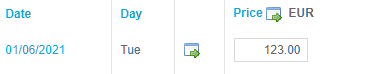
- Definition: The simplest pricing model where rates are defined per room type.
- Logic: Pricing remains constant regardless of the number of occupants (persons) in the unit.
Best Use Case: Hotels with flat-rate structures.
2. Occupancy Based Pricing (Formulas)
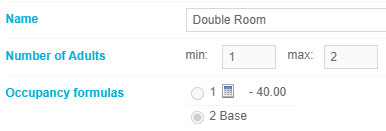
- Definition: Rates vary based on the number of adults accommodated in a unit.
- Logic: Users set a Base Occupancy rate. "Child" occupancies (other guest counts) are calculated automatically using predefined mathematical formulas.
Best Use Case: Properties with standard incremental pricing for extra guests.

3. Occupancy Based Pricing (PMS Oriented)
- Definition: Rates vary by occupant count but are managed individually.
- Logic: Users or external systems provide specific values for every occupancy level. No automated formulas are used, allowing for maximum differentiation flexibility.
Best Use Case: Integration with external PMS systems that calculate complex rates before sending them to the Channel Manager.

Model Implementation and Support
- Switching Models: Users cannot change the pricing model through the interface.
- Procedure: The model is selected during initial implementation. To request a model change, you must contact the support team.
- PMS Compatibility: Verify with your PMS provider if their software supports sending multi-occupancy prices before activating the "PMS Oriented" model.
Key Terms Summary
| Term | Definition |
|---|---|
| Allotment | The number of rooms available for sale (inventory). |
| Restrictions | Rules applied to bookings, such as Minimum Stay or Closed to Arrival. |
| Channel Manager | Software that synchronizes rates and availability across OTAs. |
| Mapping Table | The interface connecting PMS room codes to Channel Manager room types. |