1. Introduction to Revenue Rules Module
Revenue Rules is a specialized add-on module for the Channel Manager designed to automate price and allotment management. It is not included in standard product versions by default. If the "Revenue Rules" option is missing from the Setup section, users must contact support for activation.
Core Functionality:
- Automation: Triggers automatic actions based on allotment changes or specific timers.
- Price Management: Adjusts rates by fixed values or percentages.
- Inventory Control: Manages allotment values and applies Sell/StopSell restrictions (e.g., closing OTAs while keeping inventory on the hotel website).
2. Allotment Based Rules: Parameters and Setup
Allotment Based Rules trigger actions when inventory levels reach predefined thresholds.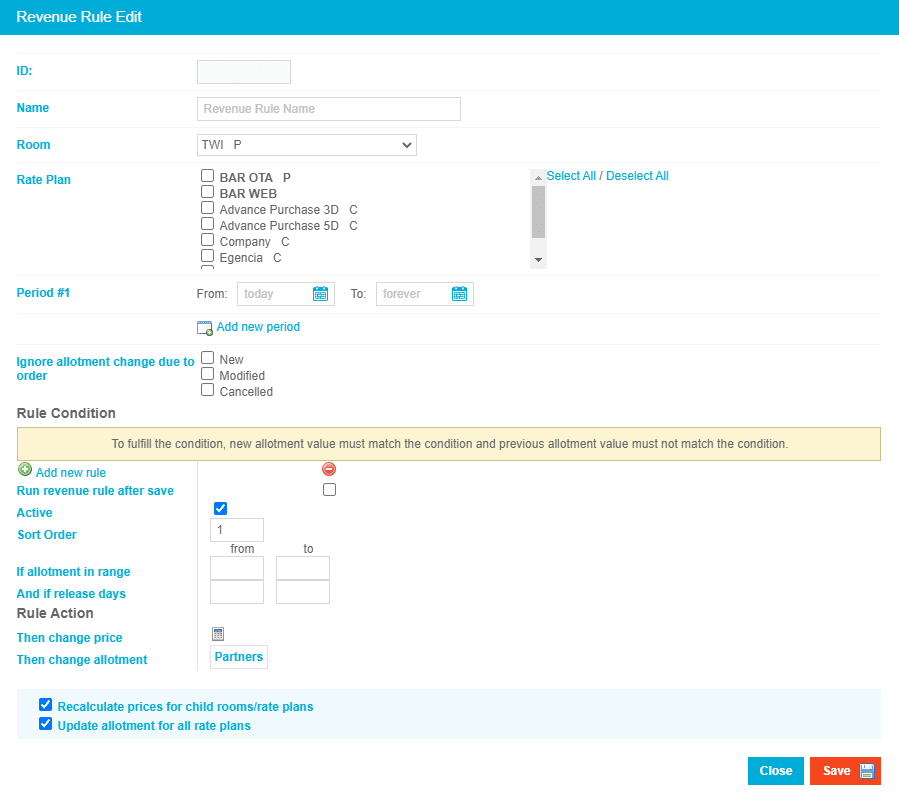
Configuration Components:
Rooms and Rate Plans: Each rule is assigned to a specific room category and its associated rate plans.

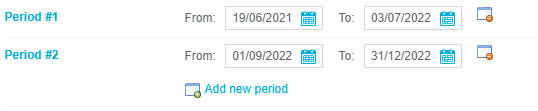
Validation Period: Defines the specific date frames when the rule is active.
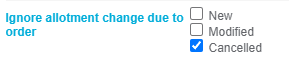
Reservation Status Restrictions: Excludes rules from triggering based on specific reservation statuses (e.g., preventing a price increase after a cancellation increases allotment).
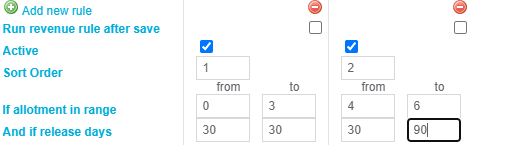
Rule Conditions: Compares current allotment or release days against set values.
Rule Actions: * Price Formulas: Uses a calculator tool to add or subtract amounts/percentages.
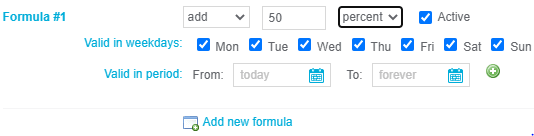
- Formula Constraints: Can be restricted to specific days of the week or specific periods.
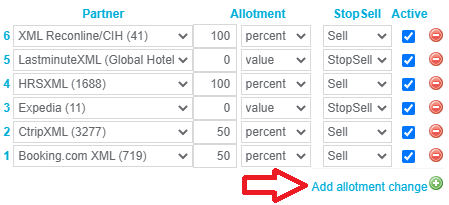
Inventory Actions: Adjusts allotment values or sets StopSell status per partner.

3. Time Based Rules: Parameters and Setup
Time Based Rules automate updates based on scheduling and booking windows rather than immediate inventory changes.

Configuration Components:
Rooms and Partners: Can cover multiple rooms, rate plans, and specific booking partners.


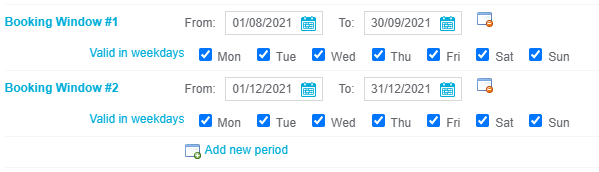
Booking Window: Limits triggers to specific date ranges and valid weekdays.
Release Range: Defines the recalculation period (e.g., '0' for today, '1' for tomorrow).

- Release Formula Types:
- Fixed Time: Triggers daily at a specific hour.
Price Change Trigger: Triggers whenever a price change occurs within a specific time window.

Revert Formula: Defines conditions to reverse changes and return prices to original levels.


4. Revenue Rule Triggering Logic
Understanding the execution logic is critical for accurate automation.
Trigger Events:
- Inventory Updates: Allotment changes via manual entry, PMS delivery, or new reservations activate the rules.
- Price Rule Frequency: Rules modifying prices trigger only once when entering a defined range (e.g., moving from 8 to 7 rooms triggers the rule; moving from 6 to 4 within the same range does not re-trigger).
- Allotment Rule Frequency: Rules modifying allotment/StopSell trigger every time the allotment changes within the defined range.
5. Summary of Key Terms
- Allotment: The number of rooms available for sale.
- Release Days: The number of days before arrival.
- StopSell: A restriction that stops sales for specific channels/partners.
- Formula: The logic used to calculate price or allotment adjustments.
- Booking Window: The timeframe in which a reservation is made relative to the stay date.