The "Partners" section in the Channel Manager manages connections between the hotel and external platforms, including Online Travel Agencies (OTAs), Property Management Systems (PMS), and booking engines. Its primary function is downloading room and rate plan structures from connected extranets to facilitate accurate mapping .
Connection statuses
Status
Enabled : Indicates the OTA is assigned to the hotel account. It does not guarantee active data exchange.
Is live?
On : Indicates the channel is active and currently exchanging data.
Restore : To activate a non-live channel, click Restore or use the "Channel Health" section in the dashboard. 

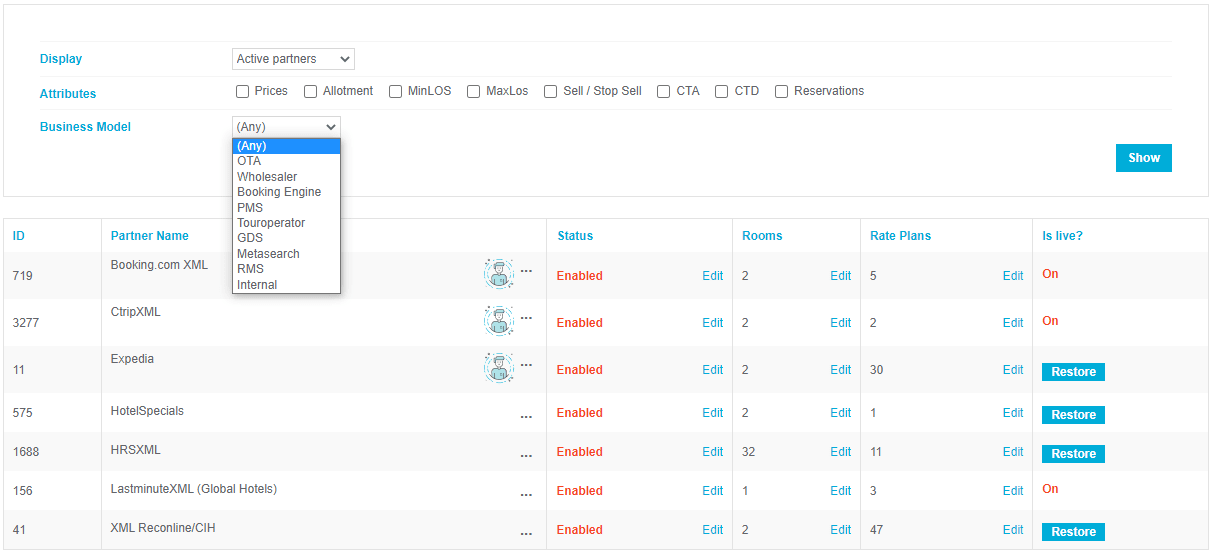
Filter and display partners
Filter the partner list to locate specific connection types or statuses:
-
Display filters : Toggle between Full integration list , Active partners, and Disabled channels.

- Partner types : Filter by category, such as OTA, Wholesaler, Tour Operator, PMS, or GDS.
- Attributes filter : Locate partners based on specific distribution capabilities (e.g., support for MinLOS restrictions).
-
Business model : Filter by commercial structure (e.g., YieldPlanet-compatible wholesalers).
Verify connection capabilities:
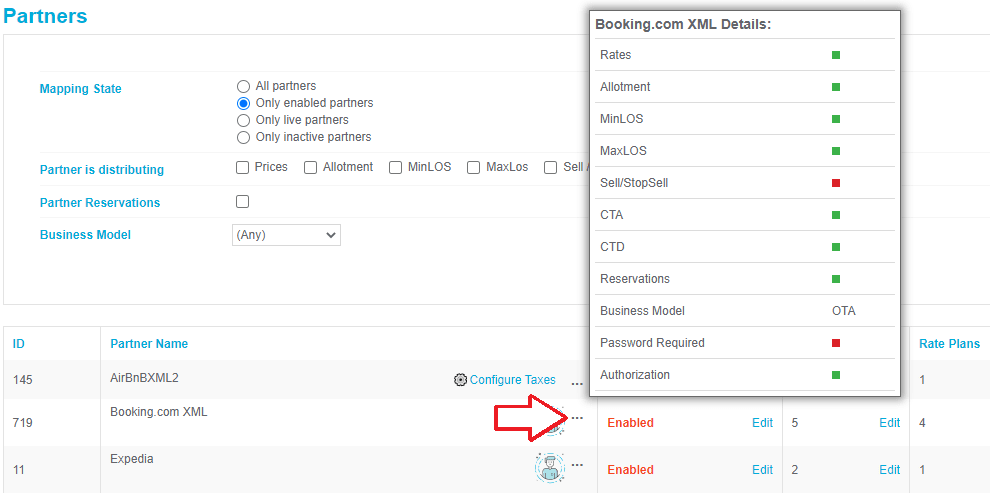
To view supported data types for a specific partner, hover over the three dots icon next to the partner name.
- Green square: Indicates the data type (e.g., allotment, price) is supported.
-
Red square: Indicates the data type is unsupported.
Note:
If Sell/StopSell is unsupported (red), the system sends an allotment of 0 to achieve the same result on partner side:
Process: Connect a new partner
-
PDF icon : Click to access technical documentation for advanced connection details.

- Filter the partners list to display All partners .

- Locate the desired partner and click Edit .

- Enter the required credentials: Login , Password , and HotelID .

- Configure optional settings:
- Currency/Exchange rate: Set specific currencies for individual partners.
- Rate: Apply a proportional markup per partner. It’s a multiplicator to apply a proportional discount/supplement (E.g. discount -10% = 0,90. E.g supplement +5% = 1,05)
- Allow downloading partner orders: Enable to sync reservations to the Channel Manager.
- Equal to 'per hotel': Prevents PMS allotment from overwriting partner-specific allotment.
- Click Save.
Process: Add multiple instances of a partner
- At the bottom left corner, click Add new Partner.
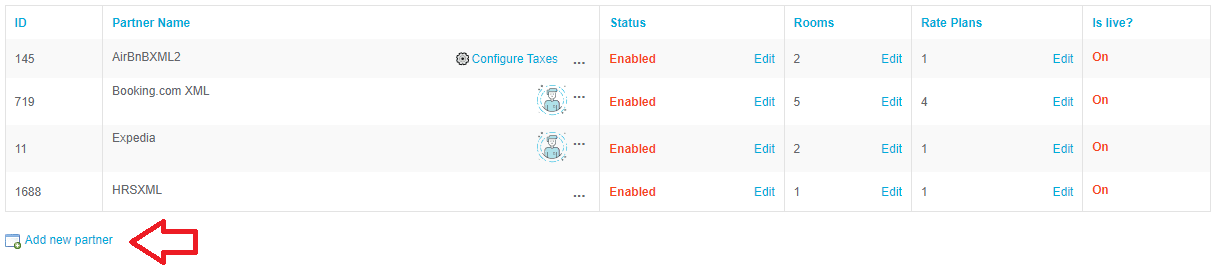
- Assign a unique Partner name and select the Partner class .

- Enter credentials ( Login, Password, HotelID ).

- Configure currency and reservation download preferences.
- Click Save .
Mandatory: Download rooms and rate plans
Downloading categories from the partner extranet is mandatory for mapping.
- Navigate to the partner row and click Edit in the Rooms/Rate plans column.

- In the pop-up, click Get all rooms or Get all rate plans .


-
Utility tools :
- Check for obsolete : Identifies and removes invalid categories.
- Refresh names : Syncs category names with the current extranet data.
- Click Save.
Key Terms
- OTA (Online Travel Agency) : Third-party booking sites (e.g., Booking.com, Expedia).
- PMS (Property Management System) : Local hotel software for managing operations.
- Mapping : The process of linking Channel Manager room/rate categories to OTA categories.
- Allotment : The number of rooms available for sale on a channel.
- StopSell : A restriction sent to channels to close sales for a specific date/room.
- MinLOS : Minimum Length of Stay restriction.
-
PDF icon : Click to access technical documentation for advanced connection details.