Summary
This guide provides the authentication procedure for the YieldPlanet Channel Manager, including the login URL, step-by-step password recovery, and specific password complexity requirements.
Accessing YieldPlanet Channel Manager
To access the YieldPlanet Channel Manager tool, navigate to the official portal:
-
Login URL:
https://channelmanager.yieldplanet.com/
Authentication Procedure
Follow these steps to log in to the YieldPlanet Channel Manager:
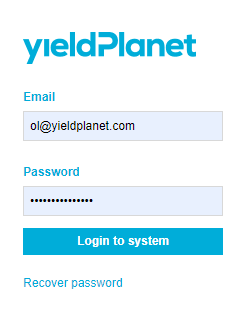
- Navigate to the login portal.
- Enter the registered User Email Address.
- Enter the Password provided during the implementation process.
-
Click the login button to access the dashboard.
Password Recovery and Change Process
Use this procedure to reset a forgotten password or to update an existing password for security purposes.
-
Initiate Recovery: Select the Recover password option on the login page.
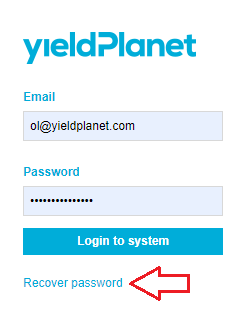
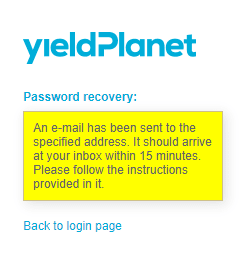
- Submit Email: Input the registered user email address and click OK.
-
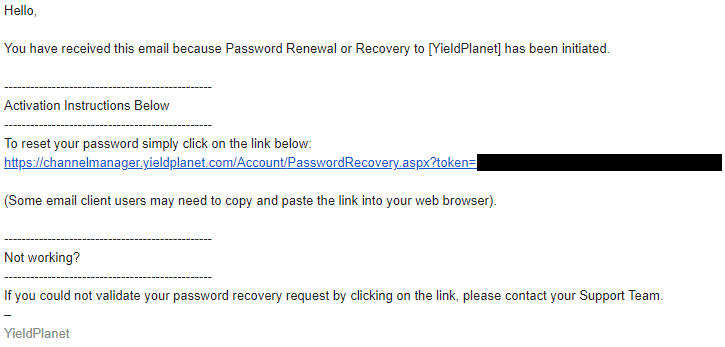
Check Inbox: Locate the password recovery email from YieldPlanet.
-
Note: If the email is not visible, check the Spam or Junk folder.
-
-
Access Link: Click the recovery link within the email to be redirected to the password reset form.
- Set New Password: Enter the new password and re-type it for validation.
- Confirmation: Submit the form to finalize the update.
Password Complexity Requirements
When setting or updating a password, the following security constraints must be met:
- Minimum Length: 8 characters.
- Letter Count: At least 7 letters.
- Numeric Count: At least 1 number.
Key Terms
- Channel Manager: The YieldPlanet platform used for managing distribution channels.
- Recover Password: The feature used for both password retrieval and password modification.
- Implementation Process: The initial setup phase where default credentials are assigned.